Call Transcript Analysis: A Practical AI-Driven Guide
Call Transcript Analysis: A Practical AI-Driven Guide

The best approach to call transcript analysis combines AI-powered extraction, a defined schema, and a human verification step before any output touches a CRM or coaching dashboard. Start here: get your transcripts into a pipeline, define a field extraction schema, and validate every output against the source before acting on it.
What that looks like in practice:
- Immediate first step: Choose batch upload for post-call analysis or live streaming for real-time feedback, then define your schema fields: action items, objections, next steps, product mentions, sentiment score, and talk-time ratio without specifying numbers.
- Expected output example 1 (call summary): “Rep confirmed pricing at an annual rate. Prospect raised budget objection; follow-up scheduled for Thursday.”
- Expected output example 2 (structured JSON): A JSON object with fields like
action_items: ["Send proposal by Friday"],objections: ["Price too high"],sentiment_score: -1.2,talk_time_ratio: {agent: 0.62, customer: 0.38}.
That second output, typed and countable, is what makes downstream coaching and CRM automation actually work. Free-text summaries are readable; schema-validated extractions are auditable.
Key Takeaways
Schema-validated extraction, grounded against the source transcript and integrated into a weekly coaching cadence, is what separates call transcript analysis that drives performance from analysis that just produces reports.
| Point | Details |
|---|---|
| Define your schema first | Set 5–8 extraction fields (action items, objections, sentiment, talk-time) before writing any prompt. |
| Validate every output | Ground high-impact fields against the source transcript; reject or flag anything that fails. |
| Use segmentation for long calls | Split transcripts by topic before LLM calls to reduce hallucination and token cost. |
| Redact PII at the source | Run automated redaction during transcription, then spot-check 2–3% of outputs monthly. |
| Connect data to practice | Use extracted signals to build role-play drills; Xl Roleplay turns transcript findings into scored coaching sessions. |
Table of Contents
- What does a call transcript analysis workflow look like end to end?
- Which metrics should you extract from call transcripts?
- Which tools and platforms should you use for transcript analysis?
- How do you validate AI outputs and avoid common pitfalls?
- How should you handle privacy, PII detection, and redaction?
- How do you turn transcript outputs into repeatable coaching workflows?
- Why structured extraction beats generic summarization every time
- Xl Roleplay closes the loop between transcript data and real skill change
- Sources
What does a call transcript analysis workflow look like end to end?
A reliable pipeline has seven stages. Skip one and the downstream data degrades fast.
-
Ingestion. Decide between live streaming (low latency, useful for real-time agent assist), batch upload (most common for post-call QA), or direct transcript upload when audio is unavailable. Batch is the right default for coaching workflows because it gives you time to run heavier extraction models without latency pressure.
-
Preprocessing. Run speaker diarization to label turns by speaker before any extraction. Preserve timestamps — they are the foundation for talk-time and interruption metrics. Filter filler words (“um,” “uh”) for keyword extraction, but keep punctuation for boundary detection. Check transcript quality: a high word error rate will corrupt sentiment scores and miss objections.
-
Segmentation. Long calls (30+ minutes) should be split into topic segments before you send them to an LLM. Embedding-based topic segmentation using a DeepTiling-style sliding-window approach detects semantic boundaries, merges short fragments, and reduces both token cost and hallucination risk. Each LLM call then works on a coherent subtopic rather than a wall of text.
-
Extraction. Use a schema-first approach. Define your fields before you write a single prompt. For sales calls: action items, objections, buying signals, next steps, competitor mentions, pricing discussions, and PII flags. For QA: compliance language, escalation triggers, and resolution confirmation. LLMs handle complex extraction and abstractive summarization well. For simpler, high-volume tasks like regex-based PII flagging or keyword classifiers, deterministic NLP is faster and cheaper.
-
Validation. Every extracted field should be grounded against the source transcript. If the model claims the rep mentioned a $500 discount, that string should appear in the transcript. Use schema validation (Zod works well for TypeScript pipelines) to reject malformed outputs and flag low-confidence fields for human review. LLM outputs are drafts until verified.
-
Storage and integration. Output to JSON, then push via webhooks or CRM connectors. Keep the full transcript behind restricted access; store only the extracted fields in your analytics layer.
-
Downstream action. Auto-create coaching tasks, update deal fields, and trigger Slack alerts for high-priority signals (a pricing objection on a late-stage deal, for instance).
Pro Tip: Before your first LLM extraction call, run a quick quality check on 10 transcripts manually. Note the most common speaker-labeling errors and filler patterns specific to your call environment. That 30-minute audit will save hours of debugging later.
Which metrics should you extract from call transcripts?
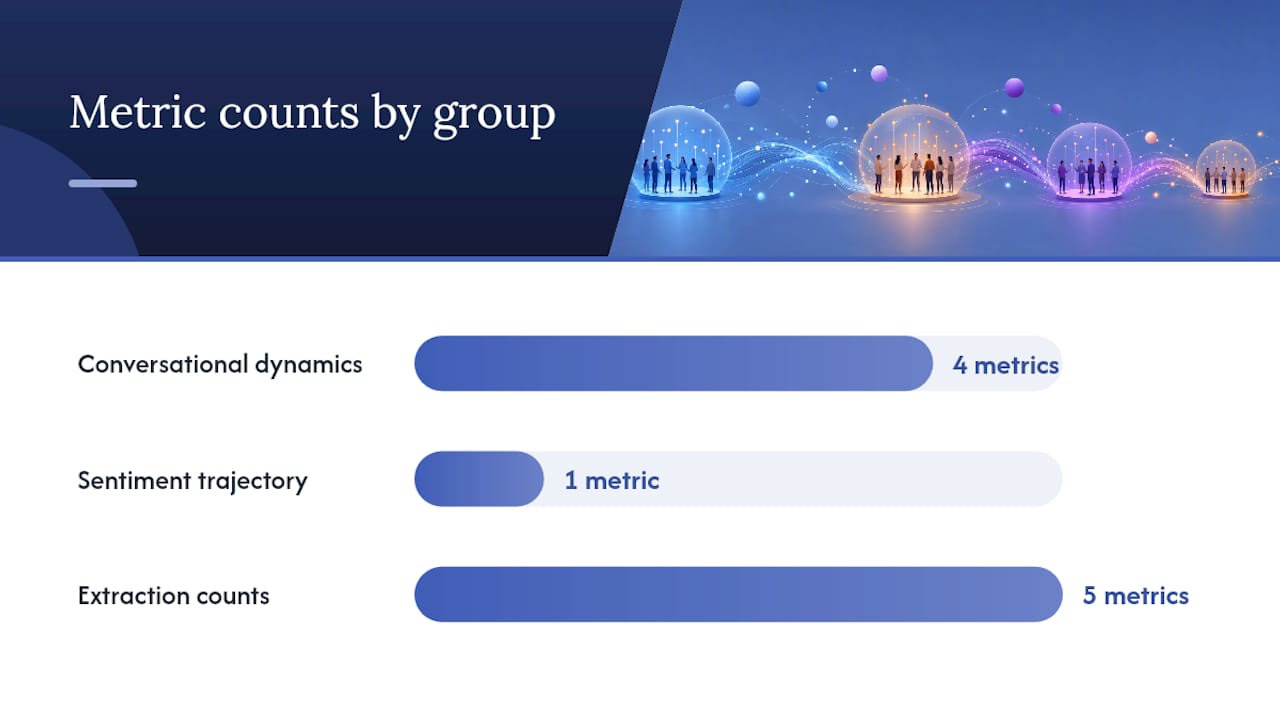
The signals that matter most fall into three groups: conversational dynamics, sentiment trajectory, and extraction counts.
Conversational dynamics are calculated directly from diarized timestamps. Talk-time ratio compares agent speaking time to total call time. Non-talk time measures silence gaps, which often signal confusion or hesitation. Interruption rate counts instances where one speaker begins before the other finishes. Talk speed (words per minute) flags reps who rush through objections or slow down on pricing. Amazon Transcribe Call Analytics surfaces all four automatically, with sentiment scores on a scale from 5 (very positive) to -5 (very negative), giving teams a consistent numeric baseline across thousands of calls.
Sentiment trajectory matters more than a single score. A call that starts at -2 and ends at +3 tells a different story than one that holds steady at -1 throughout. Measure sentiment at the utterance level, then plot the arc. Drops in customer sentiment after pricing discussions are a reliable signal that the rep’s framing needs work.
Extraction counts track how often specific signals appear:
- Objection frequency by type (price, timing, authority, need)
- Competitor mentions per call
- Pricing discussion count and position in the call
- Commitment language (“I’ll send,” “we’ll schedule,” “let’s move forward”)
- Question ratio: how many questions the rep asks versus the customer
The Conversation Analyser open-source library computes turn and word counts, prompt/response lengths, question ratios, and sentiment trajectory in its base analytics tier, with an optional LLM layer that produces a 0–100 composite score with per-turn labels. That two-tier design is worth copying: run the deterministic metrics always, and gate the LLM scoring on calls that need deeper review.
A practical threshold example: a high interruption rate consistently correlates with active listening gaps and is a reliable trigger for a coaching conversation. Sentiment trajectory that drops more than 3 points in the final quarter of a call often signals an unresolved objection at close.
Which tools and platforms should you use for transcript analysis?
The right tool depends on what you need to extract, how fast you need it, and how much engineering your team can absorb.
| Category | What it extracts | Real-time support | Diarization / language | Integration | Engineering effort | Best fit |
|---|---|---|---|---|---|---|
| Amazon Transcribe Call Analytics | Sentiment, call drivers, non-talk time, interruptions, talk speed, summaries, PII redaction, call categorization | Yes (real-time + post-call) | Yes / 100+ languages | API, webhooks, S3, Lambda | Medium | QA at scale, compliance, AWS-native stacks |
| Azure Speech & Language (Call Center) | Transcription, diarization, sentiment, conversation summarization, PII extraction, combined JSON output | Yes (batch + streaming) | Yes / 100+ languages | REST API, SDK (C#, Python), Azure ecosystem | Medium | Enterprise Microsoft shops, cross-service pipelines |
| Avoma | Summaries, action items, topic detection, CRM sync, coaching scorecards | Post-call (near real-time) | Yes | CRM connectors (Salesforce, HubSpot), calendar | Low | Sales coaching workflows, no-code CRM automation |
| Open-source / local LLM pipelines | Fully customizable: any schema, any field | Post-call | Varies by model | Custom webhooks, local storage | High | Privacy-sensitive data, custom jargon, full control |
Cloud speech and NLP APIs (Amazon Transcribe, Azure) are the right choice when you need accuracy at scale and your team has engineering bandwidth. Amazon Transcribe Call Analytics supports both real-time and post-call modes, making it viable for agent-assist use cases as well as overnight batch jobs. The Azure call-center quickstart demonstrates a cross-service workflow that combines batch transcription, diarization, sentiment analysis, conversation summarization, and PII extraction into a single combined JSON output, which is a practical starting point for teams building their own pipeline.
Specialist platforms like Avoma handle the full workflow out of the box. They connect to your calendar and recorder, extract action items and topics, sync to your CRM, and generate coaching scorecards without a line of code. The tradeoff is less control over extraction schema and higher per-seat cost at scale.
Open-source and local LLM pipelines are the right call when data privacy is non-negotiable or when your domain jargon (medical device sales, financial services) defeats generic models. The engineering lift is real, but the customization ceiling is unlimited.
- Cloud APIs: best for accuracy, real-time support, and enterprise compliance
- Specialist platforms: best for coaching workflows and CRM automation with minimal setup
- Open-source: best for privacy, customization, and teams with ML engineering resources
How do you validate AI outputs and avoid common pitfalls?
AI extraction is useful precisely because it scales. It also fails in predictable ways, and knowing those failure modes is what separates a production-grade pipeline from a demo.
The most common problems:
- Hallucinated facts. An LLM may confidently extract a commitment (“rep promised 30-day free trial”) that never appeared in the transcript. This is the highest-risk failure for CRM updates and coaching reports.
- Truncated context. Long transcripts fed as a single prompt cause models to drop content from the middle. The first and last few minutes get full attention; everything in between is compressed or lost.
- Missed speaker attribution. When diarization fails (overlapping speech, poor audio), the model may assign the wrong speaker to a key statement, inverting who raised an objection.
A multi-agent approach addresses all three. Run parallel focused agents: one for action items and decisions, one for business context, one for interpersonal dynamics. Each agent works on a smaller, coherent segment. Validate every output against a schema and then ground each extracted field against the source transcript text. When a field fails grounding, flag it and retry rather than silently accepting the output.
Concrete validation steps:
- Schema validation first. Use Zod or a JSON Schema validator to confirm every required field is present and correctly typed before the output moves downstream.
- Quote-check high-impact fields. For pricing, commitments, and competitor mentions, require the model to return the source quote alongside the extracted value. If the quote is absent or doesn’t match, reject the field.
- Set confidence thresholds. Flag any field where model confidence falls below your threshold (0.7 is a reasonable starting point) for human review rather than auto-publishing.
- Human-in-the-loop sampling. Review 5–10% of outputs weekly, with 100% review for any call flagged by the automated checks. Targeted verification on high-impact fields (pricing, commitments) is more efficient than reviewing everything.
- Automated re-run triggers. If schema validation fails twice, route the call to a human reviewer rather than retrying indefinitely.
Pro Tip: Use specialist prompts rather than a single mega-prompt. A prompt focused only on objection extraction will outperform a general “summarize this call” prompt on that specific task, and failures stay isolated to one agent rather than corrupting the whole report.
How should you handle privacy, PII detection, and redaction?
Every call transcript is a potential compliance liability. Names, addresses, credit card numbers, Social Security numbers, and account identifiers appear in calls more often than teams expect, especially in financial services, healthcare, and e-commerce.
The practical redaction workflow:
- Redact at the source. Run PII detection as part of transcription, not as a post-processing step. Professional transcription APIs support automatic PII extraction and redaction in both real-time and batch modes. Redact before the transcript is stored or shared.
- Store minimized transcripts for analytics. Your analytics layer should work from redacted transcripts. Full-text transcripts, when necessary for legal or compliance review, belong behind role-based access controls.
- Verify redaction outputs. Automated redaction misses edge cases: spoken credit card numbers with pauses between digits, names that match common words, or regional address formats. Spot-check 2–3% of redacted transcripts monthly.
- Restrict coaching reports. Manager-facing coaching reports should quote only anonymized snippets. Aggregated dashboards should never surface individual customer data.
Automated PII redaction handles the common cases well, but the edge cases — a spoken account number, a name that doubles as a common noun — require periodic human spot-checks to catch what the model misses. Build that audit step into your compliance calendar, not just your launch checklist.
A practical audit checklist: confirm redaction coverage across name, address, payment, and ID fields; verify role-based access on full transcripts; document consent procedures for recorded calls; and review any quoted snippets in coaching materials for residual PII before sharing.
How do you turn transcript outputs into repeatable coaching workflows?
Extracted signals are only useful when they connect to a specific behavior change. The gap between “we have the data” and “the team is improving” is almost always a process gap, not a data gap.
Here is a concrete mapping:
- High interruption rate (above 15% of turns): assign an active listening drill. Pull 3–5 real transcript clips where the rep cut off the customer and use them as the opening exercise in the next coaching session.
- Frequent price objections (more than 2 per call on average): run an objection-handling roleplay using the exact objection language from transcripts. Generic scripts don’t land the same way real quotes do.
- Low question ratio (rep asks fewer than 3 questions per call): design a discovery drill focused on open-ended questions. Score it against the rep’s actual call data to show the gap concretely.
- Negative sentiment trajectory in the final quarter: review closing language. Build a closing conversation practice module around the specific moments where sentiment dropped.
For scoring and cadence, automated scoring works well for weekly check-ins on volume metrics (talk-time ratio, question count, objection frequency). Reserve full-review sessions for calls that trigger threshold alerts or show a multi-week trend in the wrong direction.
Integration tips that make this repeatable:
- Auto-create coaching tasks in your project management tool when a call exceeds an interruption or sentiment threshold
- Update CRM deal fields with extracted signals (objections raised, next steps agreed) immediately after validation
- Feed anonymized transcript snippets into role-play scenario libraries so practice stays grounded in real conversations
The coaching from transcripts guide at Xl covers the scorecard design and debrief structure in detail if you want a step-by-step framework for the manager side of this workflow.
Why structured extraction beats generic summarization every time
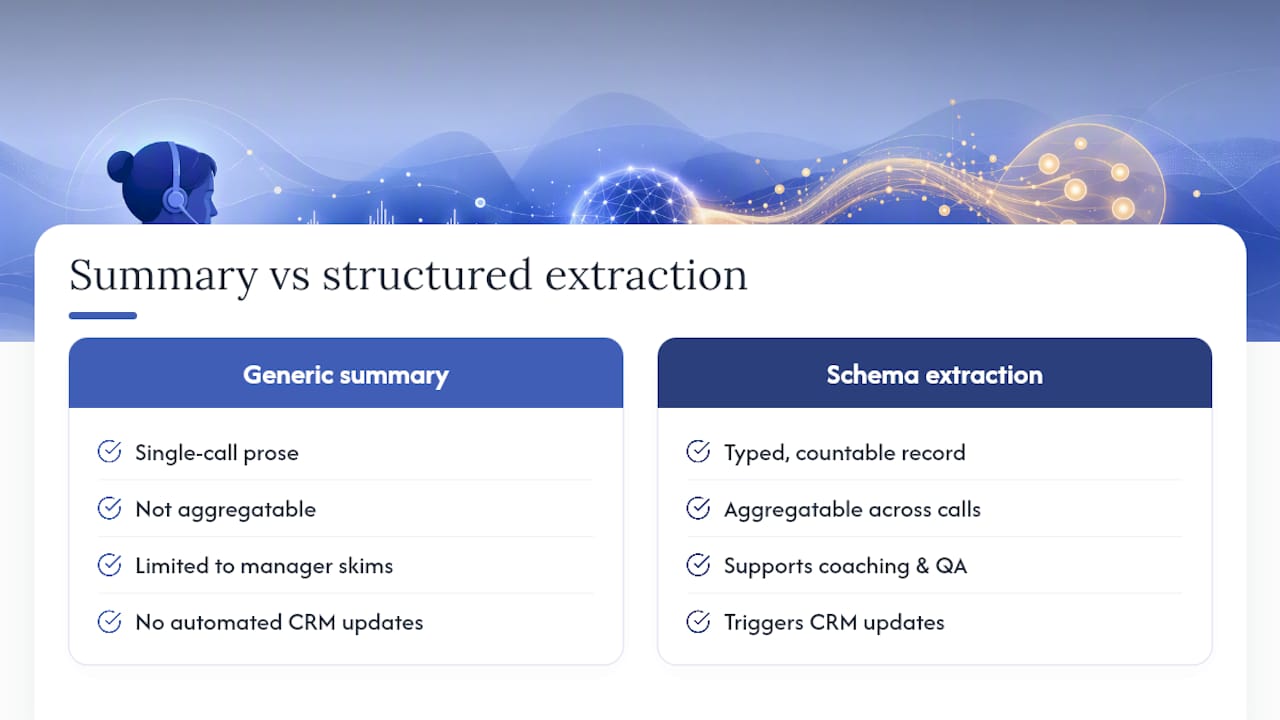
There is a version of call transcript analysis that produces a paragraph of prose after every call: “The rep discussed pricing, the customer seemed hesitant, and a follow-up was agreed.” That output is readable. It is also nearly useless for anything beyond a single manager skimming a single call.
Schema-validated extraction produces something different: a typed, countable, auditable record. You can aggregate objection types across 500 calls. You can track a rep’s talk-time ratio week over week. You can trigger a CRM update the moment a commitment field is populated. None of that is possible with a free-text summary, no matter how well-written.
The argument for structured outputs is not that summaries are bad. It is that summaries answer the question “what happened on this call?” while schema-validated extraction answers “what is happening across all our calls?” The second question is where coaching programs, QA improvements, and deal intelligence actually live.
The validation layer is what makes this durable. LLMs will hallucinate. They will miss context in long transcripts. They will occasionally invert speaker attribution. A pipeline that treats LLM outputs as drafts, grounds every high-impact field against the source transcript, and routes failures to human review is not over-engineered. It is the minimum viable production standard. Teams that skip this step eventually discover the problem when a coaching report cites a commitment the rep never made, or a CRM field updates with a competitor name that was never mentioned.
The multi-agent pattern, where focused agents handle specific extraction tasks in parallel, is the most practical way to get there without building a monolithic prompt that tries to do everything at once. Isolate responsibilities, validate outputs, and the whole system becomes easier to debug and improve over time.
Xl Roleplay closes the loop between transcript data and real skill change
Transcript analysis tells you what happened. Practice is what changes what happens next. That gap is where most coaching programs stall: the data is clear, the coaching conversation happens, and then the rep goes back to doing the same thing because they have never actually practiced the alternative under pressure.
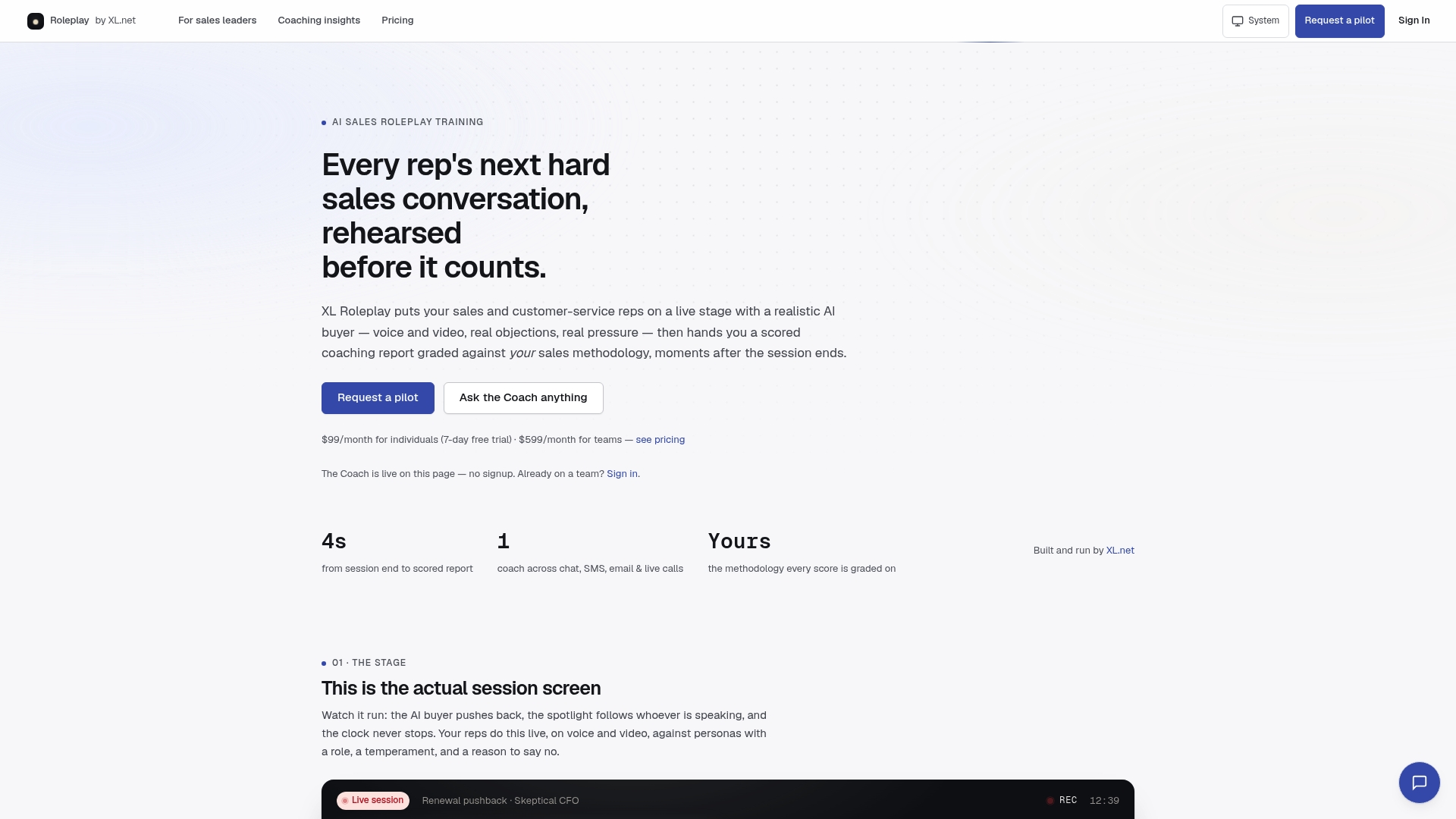
Xl Roleplay gives sales and customer service teams a place to practice the exact scenarios transcript analysis surfaces. A rep with a high interruption rate works through active listening drills with a realistic AI buyer who pushes back. A rep who struggles with price objections runs the objection-handling scenario built from their own call data, scored against your organization’s methodology, with a debrief report that maps directly to the transcript signals you already track.
The workflow is concrete: extract the signal from transcripts, build the scenario in Xl, run the practice session, review the scored coaching report, and measure the change in the next week’s call data. No generic training content. No lag between insight and action.
Sales leaders can explore Xl Roleplay’s features and start a trial to see how it connects transcript findings to coached practice at the team level.
Sources
- Analyzing Call Transcripts with LLMs / Amazon Transcribe call analytics (developer docs)
- Call center quickstart — Azure Speech & Language services
- Amazon Transcribe Call Analytics | Transcripts & Insights
- Conversation Analyser — PyPI project description