Sales Managers: 6 Moves to Beat Gatekeeper Objections with Roleplay
Sales Managers: 6 Moves to Beat Gatekeeper Objections with Roleplay

Treat the gatekeeper like a partner, not an obstacle: give a one-sentence reason that’s about the outcome you deliver, not the product you sell, and ask directly for their help finding the best way to reach the decision-maker. That single shift, from pitching to requesting guidance, is what separates reps who get routed through from reps who get stonewalled. Below you’ll find the exact scripts, timing tricks, and a short practice drill to make this second nature.
TL;DR:
- Tailor your approach by referencing a recent company event or milestone to increase your chances of engaging the decision-maker directly.
- Log gatekeeper preferences and details in your CRM to personalize future interactions and build rapport over time.
- Focus on asking for help and offering a brief outcome statement instead of pushing for immediate access, which transforms gatekeepers into allies.
- Use time-shifting tactics by calling before 8:00 AM or after 6:00 PM when front-desk staff are less likely to be watching, increasing connection chances.
- Practice roleplay drills regularly, scoring tone and clarity to improve script delivery and overall gatekeeper handling effectiveness.
Table of Contents
- Quick Checklist: Six Moves That Neutralize Gatekeeper Objections
- Objection Scripts & Pivots for the Most Common Gatekeeper Pushbacks
- Pre-Call Research, Tone, and Timing That Get You Routed Through
- Practice Plan: Roleplay Drills That Make These Scripts Stick
- Why Gatekeepers Push Back in the First Place
- How to Tell a Gatekeeper From a Decision-Maker
- Metrics That Show Whether Your Gatekeeper Approach Is Working
- Staying Compliant While You Work Around Gatekeepers
- Why Navigation Beats Deception
- Practice These Scripts at Scale With XL Roleplay
- Sources
Quick Checklist: Six Moves That Neutralize Gatekeeper Objections
Before you dial, run through this. It’s short enough to tape to your monitor.
- Use the decision-maker’s first name only. “Is Sarah around?” sounds like you know her. “Is Ms. Chen available?” sounds like a stranger.
- Ask for help, not access. People who feel like advisors open doors; people who feel like obstacles close them.
- Give one sentence about the outcome, not the product. Skip the pitch entirely at this stage.
- Assume you’ll get through. Ask “what’s the best way to reach her” instead of “can I speak with her.”
- Time-shift when it fits your market. Calling before 8:00 AM or after 6:00 PM increases the odds of reaching decision-makers directly, since front-line staff are less likely to be at their desks.
- If told to email, comply, then pivot. Send something short, then use it as your reason to call back and ask for a calendar slot or voicemail permission.
Pro Tip: Log the gatekeeper’s name and any preference they mention (“call after 2 PM,” “email first”) in your CRM sales pipeline." You’ll sound like you remember them next time, because you will.
Objection Scripts & Pivots for the Most Common Gatekeeper Pushbacks
Most gatekeeper resistance boils down to a handful of repeated lines. One playbook breaks outbound objections into six recurring categories, each with a specific first move: agree, narrow, then ask. Here’s how that plays out on a live call.
-
“What is this regarding?” Don’t dodge, and don’t launch into a pitch. Say: “I help companies like yours cut [specific outcome] in half. Can you help me get this to David, or is there a better time to catch him?” You’ve given a reason without selling, and you’ve made the gatekeeper an ally instead of a screener.
-
“Just send us some information.” Agree first. “Happy to. Quick question so I send the right thing. Does David review these himself, or does someone else on the team?” Once you have an answer, propose the real ask: “I’ll send that over. Would it make sense to grab 10 minutes on his calendar next week to walk through it?”
-
“We’re not interested.” This is often reflexive, not informed. “Totally understand. Most people say that before they’ve seen [specific result]. Can I ask, is [X] something the team is even working on right now?” If the answer is genuinely no, don’t push. Offer a re-touch: “No problem, mind if I check back in about 90 days?”
-
“They’re not available; they’re in meetings all day.” This is where the calendar trick works. “No worries. Would tomorrow morning or Thursday afternoon be better for a quick call?” Giving two windows instead of asking “when’s good” forces a real answer. Follow with: “If I don’t catch her, is it alright if I leave a voicemail referencing this conversation?”
-
“We already use somebody for that.” Don’t argue with the incumbent. Ask about friction instead. “Makes sense, most companies we work with did too. Is there one part of that process the team would change if they could?” That question often surfaces the actual pain point.
After every call, log two things: the gatekeeper’s name and any timing or channel preference they gave you. High-performing reps rely on specificity and preparation, and a CRM note that says “Priya, prefers email first, call after 1 PM” turns a cold second attempt into something that feels warm.
Pre-Call Research, Tone, and Timing That Get You Routed Through
A gatekeeper decides in about ten seconds whether you’re worth helping. Spend three to five minutes before the call finding one concrete detail, a recent funding round, a leadership change, a product launch, and reference it. “I saw David’s team just launched the new distribution center” lands completely differently than “I’m calling to see if David has a minute.”
Tone matters as much as content. Speak like a peer who happens to have useful information, not like someone reading a script. Standing up while you dial and taking one slow breath before the gatekeeper picks up changes your pacing more than any line you could memorize.
Use the decision-maker’s first name only, never a title, and keep every gatekeeper detail you learn in your CRM. That habit alone compounds over months of calling the same accounts.
- Call before 8:00 AM or after 6:00 PM when your market allows it. Front-desk coverage thins out at those hours.
- Skip the time-shift tactic for receptionist-staffed offices with strict hours; it can read as evasive rather than efficient.
- If the transfer doesn’t happen, don’t hang up empty-handed. Ask for the correct contact, the best time to call back, or who else handles this.
Pro Tip: If a gatekeeper corrects your pronunciation of the exec’s name or title, that’s a signal they’re paying attention, not gatekeeping you off. Thank them and keep going.
Practice Plan: Roleplay Drills That Make These Scripts Stick
Reading a script is not the same as saying it under pressure. Run a daily 10-minute drill: three gatekeeper scenarios, rotating objections, with a peer giving immediate feedback after each one.
Score every rep on a simple rubric:
- Tone (1 to 5): confident peer, not pitchy
- Reason clarity (1 to 5): outcome stated in one sentence
- Ask clarity (1 to 5): specific request, not vague
- Fallback logged (yes/no): did they capture a name, time, or alternate contact
Transcripts from these drills reveal patterns fast. You’ll notice certain phrasings consistently get transfers while others consistently flag reps as telemarketers. Simulated roleplay with scored coaching produces faster behavior change than unstructured practice, largely because reps get to see exactly which words worked, not just a general sense of “that call went okay.” Structured drills like the ones outlined in XL Roleplay’s guide to running training reps don’t dread build this into a repeatable weekly habit instead of a one-off workshop.
Why Gatekeepers Push Back in the First Place
Gatekeeper resistance usually isn’t personal, and it isn’t really about you. It’s a defense mechanism built around volume and liability. Front-desk staff and executive assistants field dozens of unsolicited calls a week, and their job performance is often measured by how little unnecessary noise reaches their boss’s calendar. Every “no” they give protects their own credibility with the person they report to.
That reframes the whole interaction. A gatekeeper who says “we’re not interested” or “send information” is frequently pattern-matching your call against hundreds of identical-sounding pitches, not actually evaluating your offer. The fastest way to break that pattern is to sound like something other than a pattern: specific, brief, and asking for guidance rather than access.
There’s also a status dynamic worth understanding. Gatekeepers who feel dismissed or talked past tend to become more protective, sometimes flagging a caller as a nuisance for future reference. Gatekeepers who feel consulted, asked for their opinion on timing, or credited for helping, tend to loosen up. Treating a gatekeeper as a knowledgeable contact who can advocate for you, rather than an obstacle to route around, changes the psychology of the entire call. You’re not tricking anyone. You’re giving them a reason to want to help.
How to Tell a Gatekeeper From a Decision-Maker
Misreading who you’re actually talking to wastes entire calls. A few signals separate the two fast.
Decision-makers tend to answer with specifics: their own scheduling constraints, budget language, or direct questions about your offer. Gatekeepers tend to answer with process language: “let me check,” “he’s not available,” “you’ll need to send that over.” If the person on the line asks what problem you solve rather than who you are, you’re likely already past the gate.
Titles help but aren’t definitive. Executive assistants, receptionists, and even junior team members can all function as gatekeepers depending on the org. In smaller companies, the person who answers the phone might genuinely be the buyer. In larger accounts, you might get routed through two or three layers before reaching anyone with budget authority.
One practical test: ask a direct qualifying question early, something like “are you the person who’d be evaluating a change to [process], or is that someone else on the team?” A decision-maker will usually own the answer. A gatekeeper will usually redirect it. That single question, asked calmly and early, saves you from pitching the wrong person for five minutes before finding out.
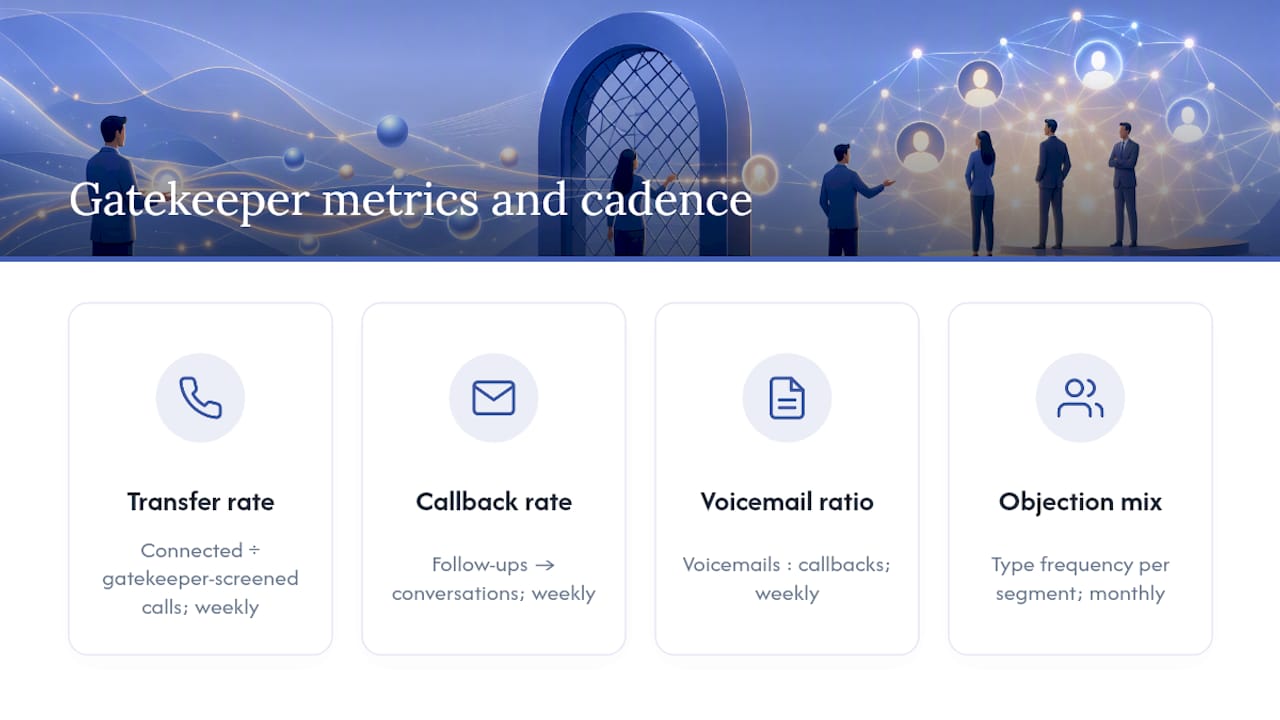
Metrics That Show Whether Your Gatekeeper Approach Is Working
Track this like any other part of your pipeline, not as a vague sense of “gatekeepers are tough this quarter.”
The core number is your transfer rate: calls where a gatekeeper connects you or schedules you, divided by total gatekeeper-screened calls. Track it weekly, not monthly, so you can see which script changes actually move the needle.
Second, watch your callback conversion rate on the “send me information” pivot. If you’re emailing gatekeepers and then following up, measure how many of those follow-ups result in an actual conversation versus another deflection.
Third, track voicemail-to-callback ratio. If gatekeepers are granting you voicemail access but decision-makers never call back, your voicemail script, not your gatekeeper script, is the problem.
Finally, log objection type frequency per account segment. If “we already use somebody” dominates in one vertical and “not interested” dominates in another, your scripts should differ by segment instead of running one generic approach everywhere. Reviewing these numbers monthly with your team turns gatekeeper handling from a gut-feel skill into something you can actually coach against.
Staying Compliant While You Work Around Gatekeepers
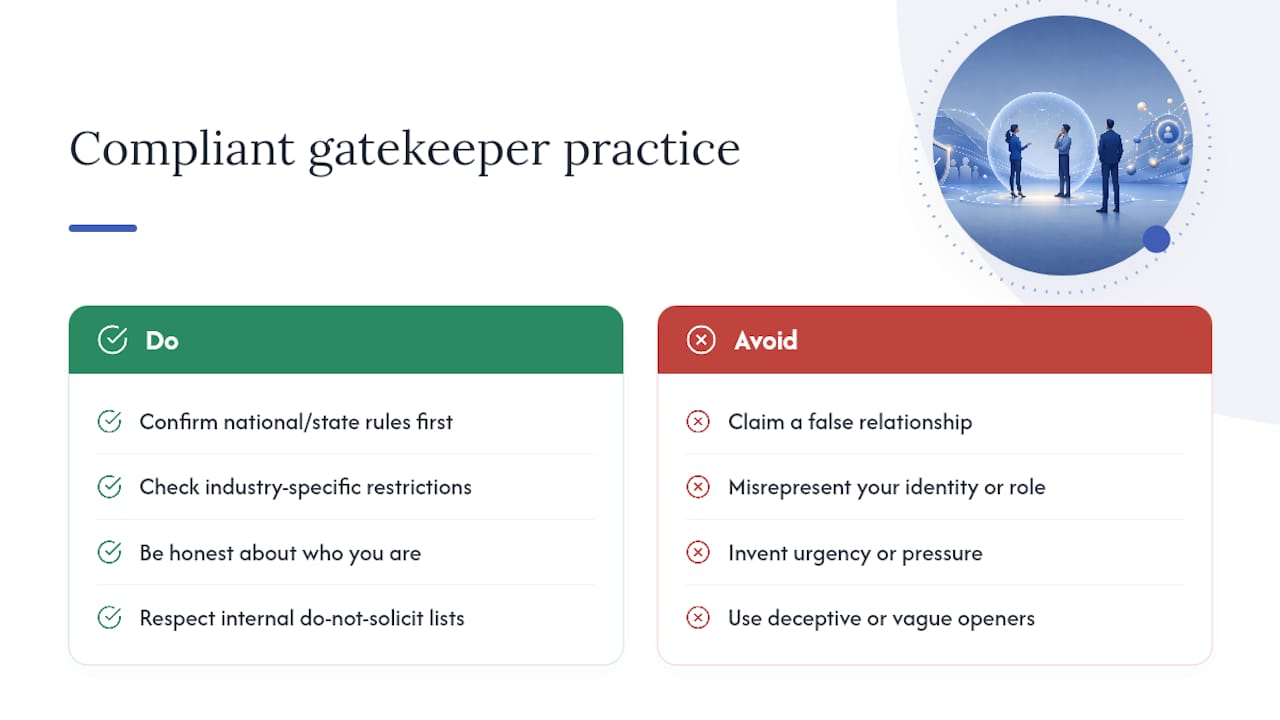
Getting past a gatekeeper doesn’t excuse you from the rules governing outbound calling. In the United States, the National Do Not Call Registry applies to consumer numbers, and while most B2B cold calling to business lines falls outside its scope, individual states and specific industries (financial services, health care) carry their own added restrictions worth checking before a campaign launches.
Beyond legal minimums, there’s an ethical line worth holding yourself to regardless of what’s technically permitted. Claiming a false relationship with the decision-maker, misrepresenting who you are, or pressuring a gatekeeper with urgency you’ve invented all tend to backfire anyway. Deceptive openers and vague claims quickly flag reps as time-wasters, and gatekeepers talk to each other inside an organization more than most reps assume. One bad interaction with a front-desk assistant can quietly close a door across an entire account for years.
The safer standard: be honest about who you are, honest about why you’re calling, and honest about what you’re asking for. If a gatekeeper says the account is on an internal do-not-solicit list, respect it and move on. Long-term pipeline health depends on accounts staying reachable, not on winning any single call at the cost of your reputation with the people who screen your future ones.
Why Navigation Beats Deception
Tricks get you through once. Respect gets you through repeatedly. Every gatekeeper interaction either builds or burns a relationship you’ll need again next quarter, and reps who ask for help instead of trying to outsmart the screener keep that door open. Log preferences, rehearse the ask, and treat every gatekeeper like someone whose opinion you’ll need again.
— Adam
Practice These Scripts at Scale With XL Roleplay
Reading scripts off a page is one thing. Saying them cold, under time pressure, with a real objection thrown at you, is another. XL Roleplay simulates gatekeeper conversations with AI personas that push back the way real screeners do, then scores your tone, reason clarity, and ask clarity against your own team’s rubric, so you know exactly which phrasing gets transfers before you ever try it on a live prospect.
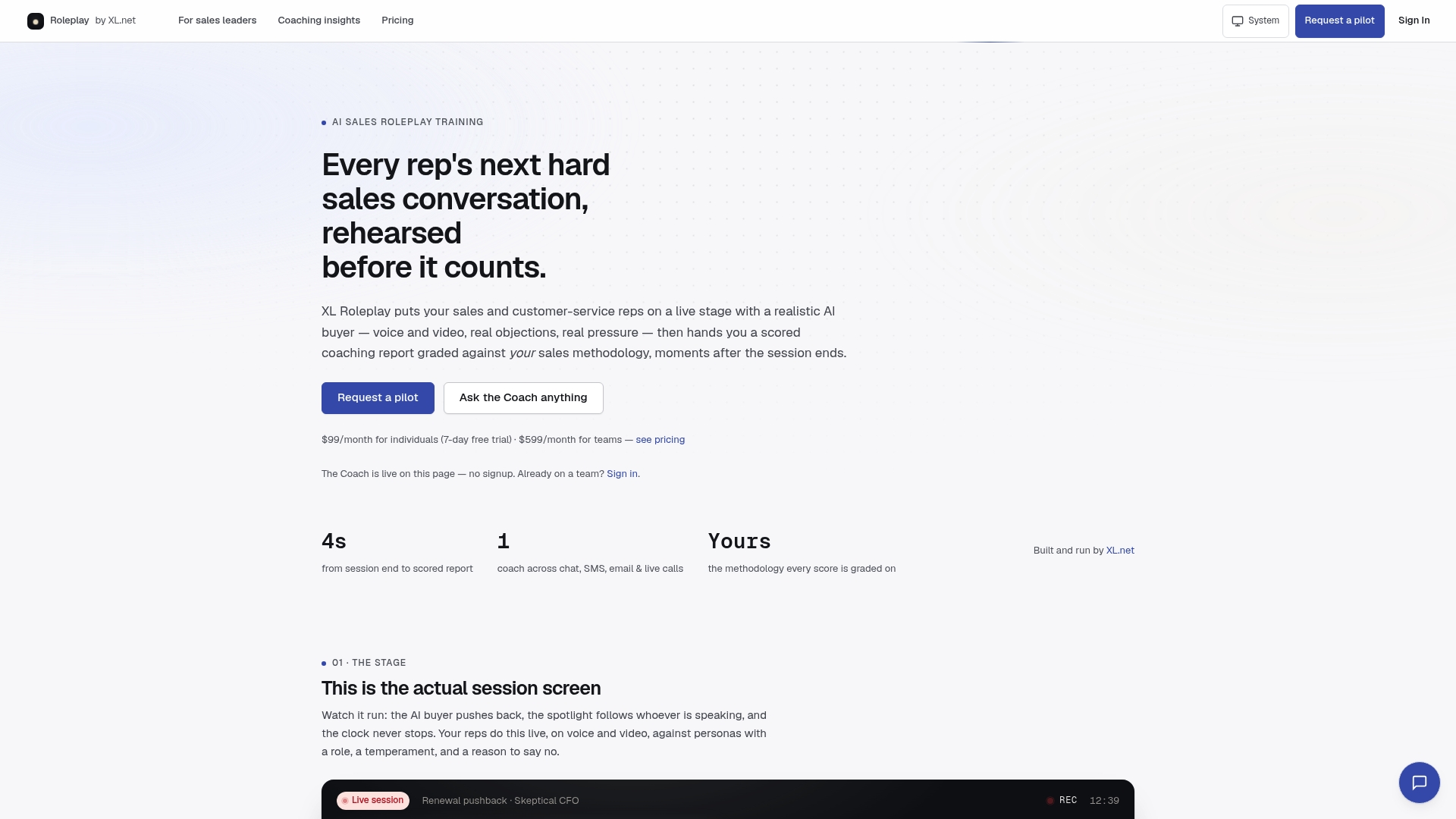
A typical drill scenario might be titled “Front-desk deflection: executive assistant, high call volume, skeptical of vendors,” and you’d run it start to finish with immediate feedback on where the call lost momentum. Managers get transcripts and readiness scores instead of guessing who’s ready for a real list. If you want to see how the scoring and scenario library work for your team, start with a free trial of the platform or check out the sales leader plans built for rolling this out across a full team.
Sources
- 10 smart ways to navigate gatekeepers — The Sales Hunter
- Handling the gatekeeper and other top BDR objections — Rework resources
- How to get past the gatekeeper in sales (Spotio)